How AgentBlocks gives your agents safe access to GitHub
See what other super-powers AgentBlocks can give your agents →
Step 1
Tell the agent about AgentBlocks — it'll set itself up
Paste in the setup snippet with an API key and it reads the docs, discovers its capabilities, and configures itself.
❯
In order to help me complete the next tasks, you'll need to use the AgentBlocks API, which allows me to selectively give you (the agent) tool access. I have created an API key for you:
sk_example_XXXXXXXXXXXXXXXXXXXXXXXXXXXX. The docs are at https://api.agentblocks.ai/agent-guide.
●Let me read the docs and discover my capabilities.
●Fetch(https://api.agentblocks.ai/agent-guide)
●Bash(curl -s -H "Authorization: Bearer sk_example_..." https://api.agentblocks.ai/agent/info)
GitHub capability is available. Let me set up the wrapper script.
●Bash(curl -sf "https://api.agentblocks.ai/agentblocks-git" -o .git/agentblocks-git && chmod +x .git/agentblocks-git)
Step 2
Give it a task — it figures out how to do it, with auto-approval for the actions you trust
The agent maps its task onto the tools AgentBlocks gave it. Operations you've marked as safe — like reading from a remote — proceed instantly without interrupting you.
❯
Look for commits on the remote that we don't have locally.
●Bash(AGENTBLOCKS_API_KEY=sk_example_... .git/agentblocks-git fetch)
agentblocks-git: auto-approved
Fetch succeeded. Now let me check for new remote commits.
●Bash(git log HEAD..origin/main --oneline)
(No output)
No new remote commits — both point to
ff7b0ba ("Add Hello World website").Step 3
You decide what the agent has to ask permission for
Here, pushing to a remote requires approval. The agent edits the file and makes the commit — then stops and waits. The API doesn't allow the agent to accidentally get it wrong.
❯
Update the website to say "Hello AgentBlocks", commit, and push.
●Update(index.html)
- <h1>Hello, World!</h1>
+ <h1>Hello, AgentBlocks!</h1>
●Bash(git commit -m "Update greeting to Hello AgentBlocks")
[main cd20e53] Update greeting to Hello AgentBlocks
1 file changed, 2 insertions(+), 2 deletions(-)
●Bash(AGENTBLOCKS_API_KEY=sk_example_... .git/agentblocks-git push origin main)
Waiting for approval …
Meanwhile …
Get approval notifications on Slack, WhatsApp, via email, or wherever's convenient for you.
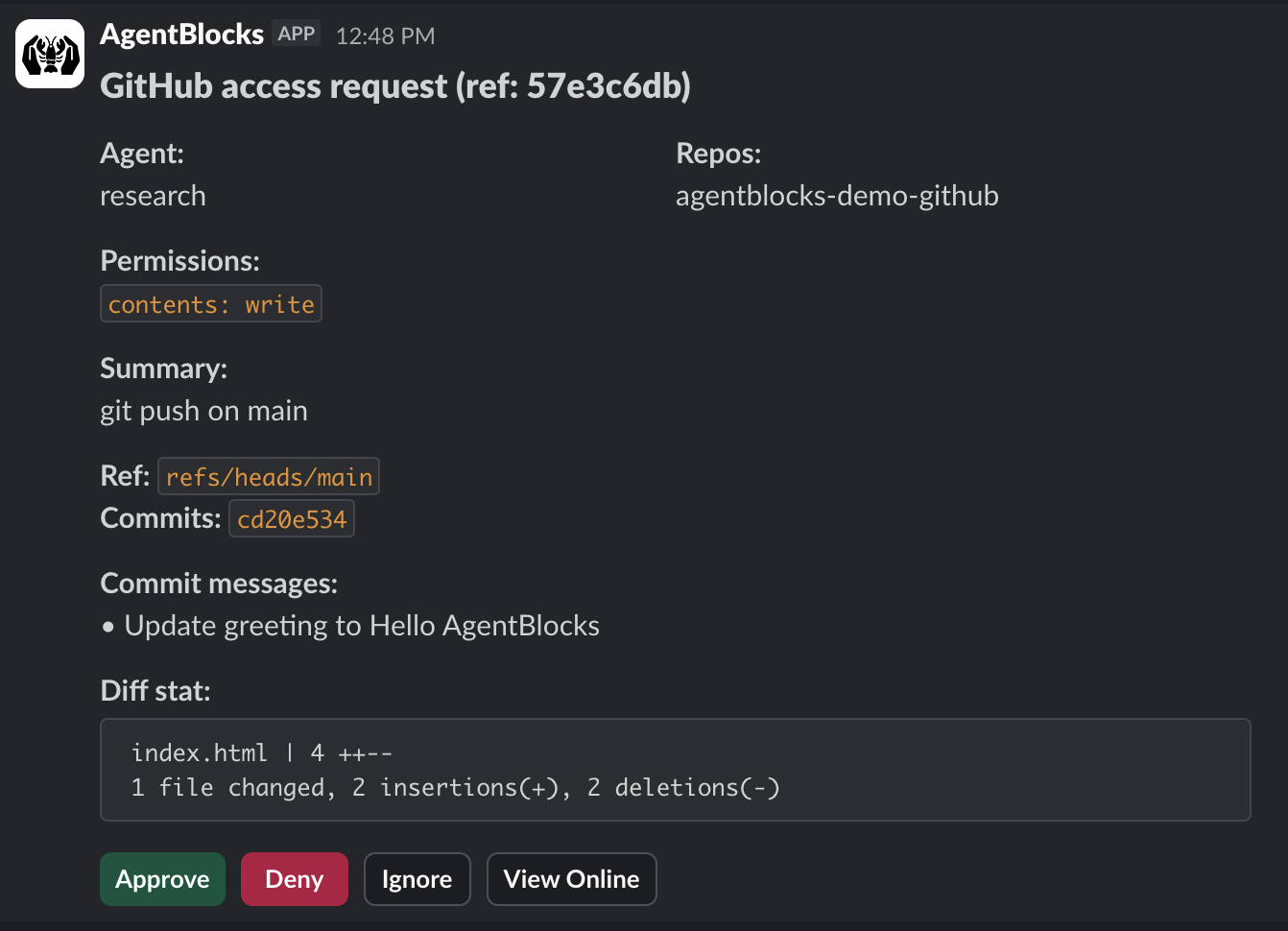
You approve the push, and the agent picks up right where it left off.
✓ Approved
To https://github.com/example/agentblocks-demo-github.git
ff7b0ba..cd20e53 main -> main
Step 4
Then let it run
Your agent works unattended for as long as it needs to, only surfacing when it hits something that needs your say-so.
Agent activity — fix all open issues
09:04
Fetched open issues
gh issue list → 12 open
AUTO
09:06
Fixed issue #1 — null pointer on empty cart
src/cart.js · 3 lines changed
AUTO
09:14
Fixed issues #2, #3, #4 — related type errors
src/types.ts · 11 lines changed
AUTO
38 steps
10:17
Push fix/issues-1-4 to origin
abd91f3..7de042c
WAITING
10:17
Permission request sent to your phone
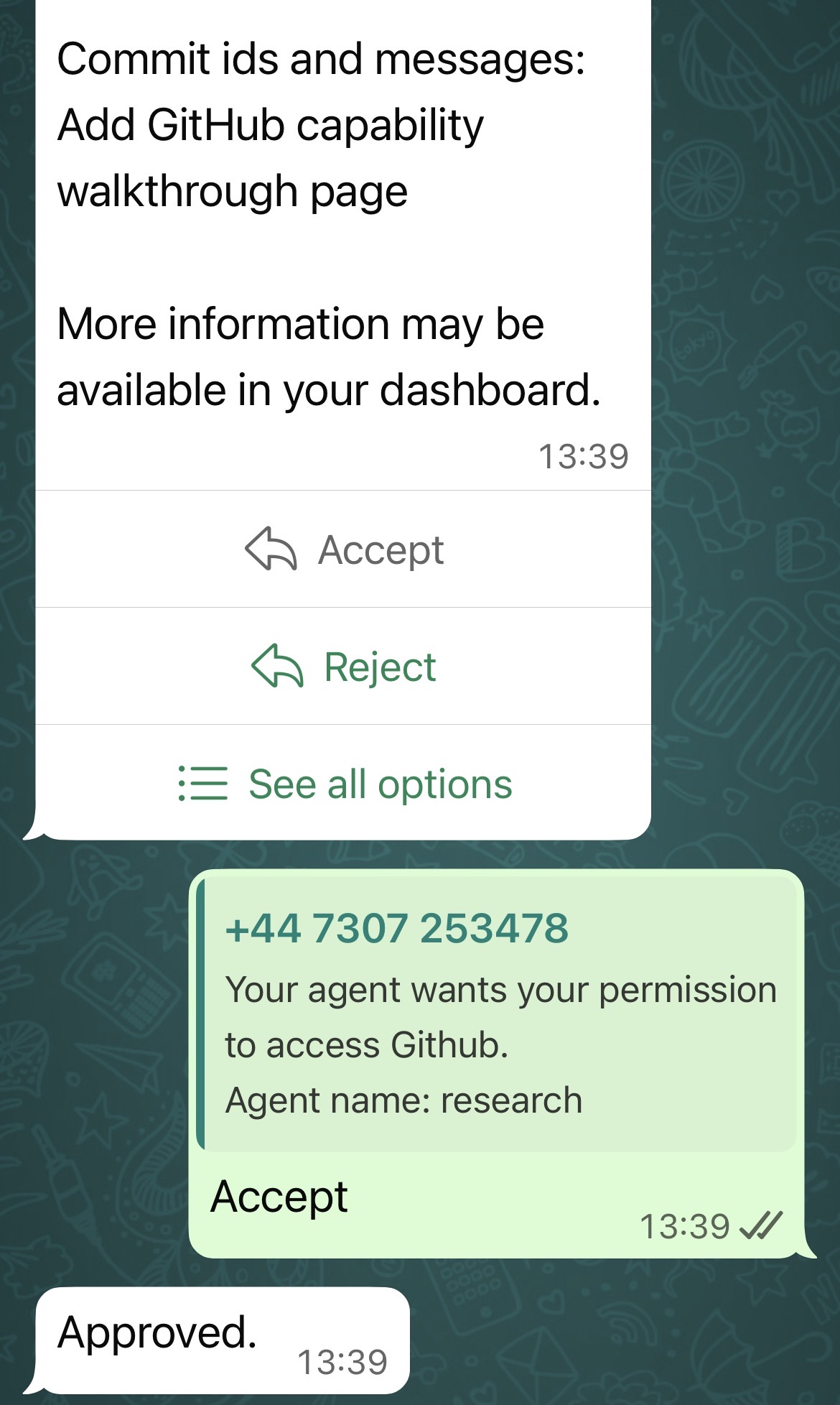
You approve (or reject) straight from WhatsApp
The agent pauses and waits. Reply and it picks up exactly where it left off.